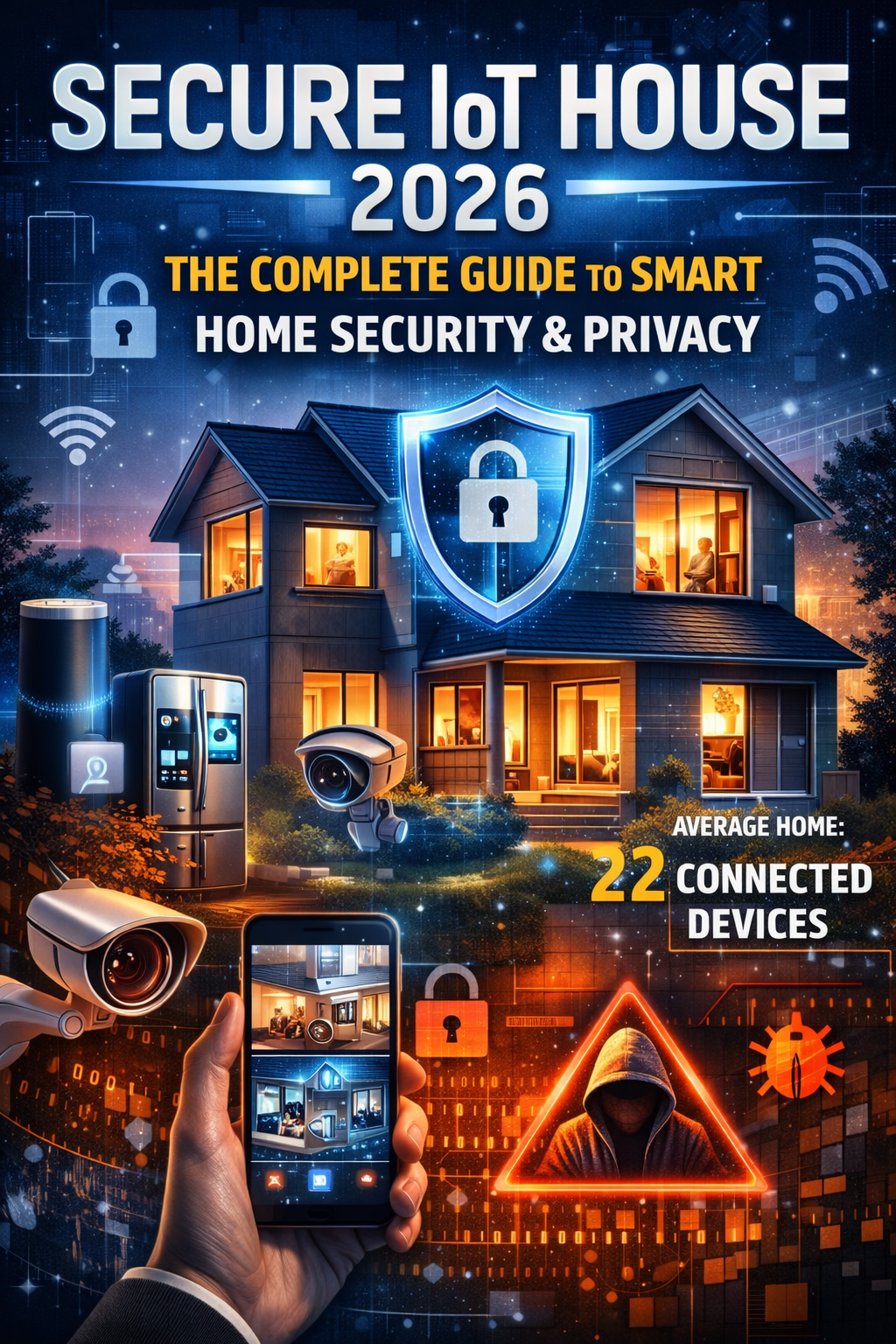
Your home should be your sanctuary—a safe haven from the outside world. But as homes become “smarter,” they’re also becoming more vulnerable. By 2026, the average American household contains 22 connected devices, from smart speakers and thermostats to security cameras and even refrigerators. Each represents convenience and efficiency, but also a potential entry point for cybercriminals.
This comprehensive guide provides everything you need to know about securing your smart home in 2026, protecting both your privacy and your family’s safety in an increasingly connected world.
 Secure IoT OfficeSecure IoT Office
The Smart Home Revolution: Numbers That Demand Attention
The smart home market has reached critical mass. In 2025, 69.91 million U.S. households actively use smart home devices, with the market expected to hit $250.6 billion by 2029. Globally, an estimated 41.6 billion IoT devices are now in use, generating nearly 79 zettabytes of data annually.
But this explosive growth comes with serious consequences:
- 13.6 billion attacks detected on consumer IoT devices between January and October 2025
- Nearly 30 attack attempts per day on the average connected home (triple the rate from 2024)
- 12 million threats blocked daily by security technologies across smart homes worldwide
- One in three data breaches now involves an IoT device
- 80% of IoT devices remain vulnerable to a wide range of attacks
Perhaps most concerning: even in 2025, an estimated 20% of IoT devices are still protected only by default login credentials that any attacker can find with a simple web search.
Understanding the Threat Landscape
Real-World Attack Examples
The dangers aren’t theoretical. They’re happening right now:
The Mirai Botnet Legacy: In 2016, the Mirai botnet hijacked hundreds of thousands of ordinary IoT devices—home routers, security cameras, DVRs—and weaponized them to launch record-breaking distributed denial-of-service attacks exceeding 1 terabit per second, knocking critical internet services offline.
Baby Monitor Hacks: Parents worldwide have experienced harrowing invasions when hackers took control of baby monitors and Wi-Fi security cameras. Some families heard strangers’ voices speaking to their children through compromised devices. In one lawsuit, dozens of people reported receiving death threats and vile abuse after their in-home cameras were breached.
Smart Lock Compromises: Attackers have exploited vulnerabilities in smart locks to gain physical access to homes, with compromised devices leading to break-ins in residences and hotels.
Data Exposure Incidents: Recent breaches exposed billions of records containing Wi-Fi credentials, device IDs, and household geolocation data—providing attackers with comprehensive blueprints of home networks and routines.
The 2026 Threat Categories
Smart home attacks typically fall into two main categories, each with real consequences:
1. Network and Access Attacks (70% of threats)
- Unauthorized network access attempts
- Credential stuffing using leaked passwords
- Man-in-the-middle attacks intercepting communications
- Exploitation of unpatched firmware vulnerabilities
- Lateral movement from compromised devices to other network systems
2. Privacy and Surveillance Threats (30% of threats)
- Unauthorized access to cameras and microphones
- Collection of behavioral and routine data
- Location tracking and geofencing exploitation
- Smart speaker conversation harvesting
- Third-party data sharing without consent
Most Vulnerable Device Categories
Research shows specific device types face disproportionate risk:
- Streaming Devices & Smart TVs (30%): Entertainment equipment accounts for nearly one-third of all vulnerabilities
- IP Cameras (9%): Intended for safety but frequently compromised due to weak security and infrequent updates
- Smart Speakers (8%): Voice assistants like Alexa collect up to 28 out of 32 possible data points
- Smart Locks (7%): Direct physical security implications
- Smart Thermostats (6%): Can reveal occupancy patterns and schedules
- Wi-Fi Routers: The gateway to everything—when compromised, all connected devices are at risk
 Secure IoT HouseSecure IoT House
Why Smart Homes Are Uniquely Vulnerable
Insecurity by Design
The fundamental problem starts with how IoT devices are manufactured. Companies optimize for cost, time-to-market, and features—not security. This creates systemic vulnerabilities:
Default Credentials: An astonishing 35% of consumer IoT devices still ship with default usernames and passwords enabled (typically “admin/admin” or similar). These credentials are publicly catalogued online, making unauthorized access trivial.
Hard-coded Credentials: Approximately 17% of devices contain credentials embedded directly in firmware that cannot be changed, creating permanent backdoors.
Outdated Firmware: 33% of IoT devices run outdated software with no practical update mechanism. Even when updates exist, only 24% of users regularly install them.
Weak Encryption: 24% of IoT companion apps have SSL/TLS issues, transmitting data in easily intercepted formats.
Minimal Computing Resources: IoT devices often lack the processing power for robust security features like strong encryption or intrusion detection.
Lack of Industry Standards
Unlike computers and smartphones, IoT devices have no universal security standards. Each manufacturer implements security differently—or sometimes not at all. Smaller, lesser-known brands are particularly vulnerable due to insufficient resources for security research and testing. On average, 25 vulnerabilities exist in every IoT device.
The Interconnectedness Problem
The very feature that makes IoT devices valuable—their interconnectedness—also amplifies risk. When devices communicate over the same network, a single compromised smart lightbulb can provide access to more critical systems like computers, smartphones, or home security equipment.
User Awareness Gap
Survey data reveals a critical disconnect:
- 76% acknowledge IoT security concerns
- 79% confirm their devices collect data
- Only 24% regularly update device firmware
- Only 29% have a strategy for mitigating vulnerabilities
- Only 53% have taken proactive security measures
This gap between awareness and action represents the weakest link in smart home security.
The Privacy Paradox: What Your Smart Home Knows About You
Beyond security breaches, smart homes raise profound privacy concerns that many users don’t fully appreciate.
Invisible Data Collection
Modern smart home devices collect far more information than necessary for their core functions:
Smart Speakers: Amazon’s Alexa collects 28 out of 32 possible data points—over three times more than the average smart home device. This includes:
- Voice recordings and transcripts
- Contact lists and communication patterns
- Shopping habits and purchase history
- Location data and movement patterns
- Connected device information
- Routine and schedule analysis
Smart TVs: Beyond what you watch, modern televisions track:
- Viewing duration and patterns
- App usage and interactions
- Voice commands and searches
- Connected device information
- Household demographic inference
Security Cameras: These devices can inadvertently reveal:
- Occupancy patterns and schedules
- Visitor frequency and identity
- Daily routines and habits
- Room usage patterns
- Potentially embarrassing or sensitive moments
Smart Thermostats: Temperature adjustments expose:
- When you’re home or away
- Sleep schedules
- Number of occupants
- Seasonal travel patterns
- Energy usage that can infer activities
Smart Locks and Doorbells: These systems track:
- Entry and exit times
- Visitor patterns
- Package delivery schedules
- Household access patterns
Local Network Protocol Vulnerabilities
Groundbreaking research analyzing 93 IoT devices revealed alarming findings about local network privacy. Standard protocols like UPnP and mDNS inadvertently expose:
- Unique device names and identifiers
- UUIDs and hardware addresses (MAC addresses)
- Household geolocation data
- Device model and manufacturer information
This data can be harvested by spyware apps and advertising companies without any user awareness. Even Android apps that lack permission to access location data can obtain it by querying IoT devices on the local network through standard protocols.
The Surveillance Capitalism Problem
Companies accumulate massive collections of smart home data under the defense that it’s “necessary for improvements.” However, when combined with data from other sources—shopping apps, mapping services, search engines, social media—this information grants companies immense predictive power about your life.
Real-world applications already emerging:
- Insurance Companies: Gathering data on TV viewing habits, rent payment timeliness, and online purchase histories to optimize insurance rates and risk assessment
- Targeted Advertising: Creating sophisticated behavioral profiles for hyper-personalized marketing
- Data Brokers: Aggregating and selling detailed household profiles without explicit consent
Third-Party Risks
Survey data shows concerning patterns:
- 99% of solution providers confirm their products collect data
- 66% store data on the device itself
- Significant percentage transmit data to cloud services, often overseas
- Many devices share data with third-party platforms with inadequate security
Some cheap IoT devices—particularly network cameras—have been found transmitting data overseas for unclear purposes, potentially including espionage or ending up in publicly accessible cloud storage buckets.
The Privacy Paradox
Research identifies a “privacy paradox”: the dichotomy between people’s claimed interest in privacy and their actual behavior. Among consumers who express being “very concerned” about smart device privacy, only 16% fewer actually own such devices compared to the general public.
This gap exists partly due to lack of knowledge about what data is collected and how. Most users don’t realize the extent of surveillance occurring in their own homes.
Regulatory Landscape 2026
Governments worldwide are attempting to address smart home security and privacy concerns through regulation.
United States
IoT Cybersecurity Improvement Act: Requires federal IoT devices to meet cybersecurity standards including strong authentication, encryption, and software updates.
US Cyber Trust Mark: Launched to help consumers identify IoT devices meeting specific cybersecurity standards. Look for this mark when purchasing new devices.
State-Level Privacy Laws:
- California (CCPA/CPRA): Grants residents control over personal data with penalties up to $7,988 per intentional violation (doubled for minors)
- Virginia (VCDPA): Requires clear privacy notices and opt-out mechanisms
- Multiple other states have enacted comprehensive privacy legislation
European Union
GDPR (General Data Protection Regulation): Requires:
- Transparent data collection and usage disclosure
- Explicit user consent for data processing
- Right to access, correct, and delete personal data
- Data breach notification within 72 hours
- Significant fines for violations
Cyber Resilience Act: Mandates that all IoT devices sold in EU markets must satisfy cybersecurity requirements.
EU Data Act: Effective September 2025, governs data sharing and access requirements for IoT devices.
United Kingdom
Code of Practice for Consumer IoT Security: Voluntary guidelines promoting:
- Secure default passwords
- Regular software updates
- Encrypted communications
- Vulnerability disclosure programs
Global Trend
Most countries still lack specific IoT regulations, but the trend is toward increased government oversight to protect consumers. Organizations manufacturing or selling IoT devices should anticipate stricter compliance requirements in coming years.
Building Your Secure Smart Home: Comprehensive Defense Strategy
Protecting your smart home requires a multi-layered approach combining technical controls, smart purchasing decisions, and ongoing vigilance.
Layer 1: Secure Your Foundation (The Router)
Your Wi-Fi router is the “front door” to your smart home. Securing it is paramount.
Immediate Actions:
Change Default Credentials
- Never use manufacturer default usernames and passwords
- Create unique credentials using 16+ character combinations
- Use a password manager to track complex passwords
Rename Your Network (SSID)
- Don’t use default names that reveal router make/model
- Avoid personal identifiers (your name, address, etc.)
- Choose something unique but generic
Enable Maximum Encryption
- Use WPA3 if available (latest standard)
- WPA2 minimum if WPA3 isn’t supported
- Never use WPA or WEP—these are easily cracked
- If your router only supports older protocols, upgrade immediately
Disable Unnecessary Features
- Turn off WPS (Wi-Fi Protected Setup)—it’s a security vulnerability
- Disable remote administration unless absolutely necessary
- Turn off UPnP unless specifically needed
Enable Automatic Firmware Updates
- Check manufacturer’s site for latest firmware
- Set calendar reminders if auto-update unavailable
- Replace routers that no longer receive security updates
Review Connected Devices Regularly
- Use router administration panel to see all connections
- Disconnect unknown or suspicious devices
- Investigate unfamiliar connections immediately
Advanced Router Security:
Create Network SegmentationThis isolation ensures compromised IoT devices can’t access your most important systems.
- Primary Network: Computers, smartphones, tablets with sensitive data
- IoT Network: All smart home devices
- Guest Network: Visitors and untrusted devices
Configure Firewall Rules
- Enable router firewall
- Create rules limiting IoT device communications
- Block unnecessary outbound connections
Implement DNS Filtering
- Use security-focused DNS services (e.g., Cloudflare 1.1.1.1, Quad9)
- Block known malicious domains
- Consider DNS-level ad and tracker blocking
Layer 2: Secure Individual Devices
Each smart home device requires individual attention.
Purchase Decisions:
Research Before Buying
- Choose manufacturers with strong security track records
- Look for devices with US Cyber Trust Mark certification
- Check how long manufacturer provides security updates
- Read privacy policies before purchasing
- Avoid devices that don’t allow password changes
Evaluate Privacy Practices
- Review what data the device collects
- Understand where data is stored (local vs. cloud)
- Check if data is shared with third parties
- Look for devices with privacy-first design
Prioritize Update Capability
- Ensure devices support automatic updates
- Verify manufacturer commitment to patches
- Avoid devices with no update mechanism
Initial Setup:
Change All Default Passwords Immediately
- Create unique passwords for each device
- Use combinations of uppercase, lowercase, numbers, symbols
- Minimum 12-16 characters
- Never reuse passwords across devices
Enable Multi-Factor Authentication
- Use 2FA wherever available
- Prefer authenticator apps over SMS
- Store backup codes securely
Review and Adjust Privacy Settings
- Opt out of data collection where possible
- Disable unnecessary features (voice activation, location tracking)
- Turn off cameras/microphones when not needed
- Reject non-essential permissions
Disable Unused Features
- Remote access (if not needed)
- Bluetooth connectivity (if unused)
- Cloud synchronization (if local operation suffices)
- File sharing
- Auto-discovery protocols
Ongoing Maintenance:
Establish Update Routine
- Enable automatic updates where available
- Check manually monthly for devices without auto-update
- Never ignore update notifications
- Test critical systems after updates
Monitor Device Behavior
- Watch for unusual activity
- Check access logs regularly
- Notice unexpected network traffic
- Investigate strange device behavior immediately
Regular Security Audits
- Quarterly review of all devices
- Check for new firmware/software versions
- Verify privacy settings haven’t changed
- Remove devices no longer in use
Layer 3: Network Monitoring and Detection
Implement Network Monitoring
- Use router tools to track bandwidth usage
- Monitor for unusual traffic patterns
- Consider dedicated IoT security solutions (e.g., NETGEAR Armor, Bitdefender BOX)
- Set up alerts for new device connections
Deploy Security Software
- Consider IoT-specific security platforms
- Use network-level antivirus/anti-malware
- Implement intrusion detection systems
- Enable real-time threat monitoring
Layer 4: Physical Security
Secure Physical Access
- Place devices in protected locations
- Cover cameras when not in use
- Locate reset buttons—ensure they can’t be tampered with
- Use lock screens on touchscreen IoT devices
- Secure outdoor devices against weather and tampering
Proper Device Disposal
- Perform factory reset before disposing
- Remove devices from your accounts
- Physically destroy storage if device contains sensitive data
- Properly recycle e-waste
Layer 5: Behavioral Security
Maintain Device Inventory
- Create spreadsheet of all IoT devices
- Track: device name, type, IP address, purchase date, warranty status
- Document passwords and account credentials (in password manager)
- Note firmware versions and update schedules
Educate Household Members
- Ensure all users understand security practices
- Train family on recognizing suspicious activity
- Establish protocols for adding new devices
- Share responsibility for security maintenance
Practice Good Cyber Hygiene
- Don’t click suspicious links in device-related emails
- Verify manufacturer communications
- Be wary of phishing targeting smart home users
- Report security incidents immediately
Device-Specific Security Recommendations
Smart Speakers (Alexa, Google Home, Siri)
Privacy Controls:
- Review and delete voice history regularly
- Disable voice purchasing or require PIN
- Mute microphone when discussing sensitive topics
- Turn off personalized results if shared household
- Opt out of voice recording storage when possible
Security Settings:
- Enable voice recognition to prevent unauthorized commands
- Review and manage connected third-party skills/actions
- Monitor voice history for unexpected commands
- Keep firmware updated
Physical Placement:
- Avoid placement in bedrooms or private areas
- Don’t position near windows where voices could be heard outside
- Consider dedicated “quiet spaces” in your home
Smart Security Cameras
Critical Security:
- Change default passwords immediately
- Enable two-factor authentication
- Use end-to-end encryption if available
- Disable cloud storage if local recording sufficient
- Review who has access to camera feeds
Privacy Protections:
- Create privacy zones to exclude sensitive areas
- Disable audio recording if video alone is sufficient
- Use activity zones to limit recording areas
- Turn off cameras when home (or use privacy mode)
- Be transparent with family members about camera locations
Network Security:
- Isolate cameras on separate VLAN
- Restrict internet access for cameras (local viewing only)
- Use VPN for remote access instead of port forwarding
- Monitor for firmware updates aggressively
Smart Locks
Installation:
- Ensure proper physical installation (can’t be removed easily)
- Use quality locks from reputable manufacturers
- Maintain mechanical backup (physical key)
- Test reliability before relying exclusively
Access Management:
- Use temporary codes for guests/services
- Revoke access immediately when no longer needed
- Monitor access logs for unauthorized attempts
- Set up alerts for unusual access patterns
- Never share permanent codes widely
Security Features:
- Enable auto-lock features
- Set up geofencing with caution
- Use forced entry alerts
- Enable tamper detection
- Keep backup batteries fresh
Smart Thermostats
Privacy Configuration:
- Disable location tracking if possible
- Limit data shared with manufacturer
- Turn off “learning” features if uncomfortable with data collection
- Review energy usage reports for sensitivity
Security Settings:
- Change default password
- Disable remote access if not needed
- Monitor for unauthorized schedule changes
- Keep firmware current
Smart TVs
Privacy Protection:
- Disable automatic content recognition (ACR)
- Turn off voice activation
- Cover camera when not in use
- Disable viewing history collection
- Review and limit app permissions
Security Measures:
- Don’t use TV for sensitive browsing
- Keep TV firmware updated
- Disable unnecessary “smart” features
- Use streaming devices instead of TV apps when possible
- Review connected accounts regularly
Smart Appliances (Refrigerators, Washers, etc.)
Evaluate Necessity:
- Do you really need internet connectivity?
- Can you achieve same function without smart features?
- Is convenience worth privacy trade-off?
If Using:
- Disable features you don’t use
- Review what data is collected
- Keep on isolated network
- Monitor for unusual behavior
Advanced Security Measures
For those wanting maximum protection:
1. VPN for Home Network
Benefits:
- Encrypts all traffic leaving your home
- Hides your IP address from IoT manufacturers
- Protects against ISP surveillance
- Adds layer of security for remote access
Implementation:
- Install VPN on router (covers all devices)
- Choose reputable VPN provider
- Consider self-hosted VPN solution
2. Network Access Control (NAC)
Advanced Segmentation:
- Implement VLAN for each device type
- Use firewall rules to limit inter-device communication
- Create whitelist of allowed communications
- Block all other traffic by default
3. Intrusion Detection/Prevention Systems (IDS/IPS)
Monitoring:
- Deploy network IDS to watch traffic patterns
- Set up behavioral analysis
- Create alerts for anomalies
- Log all network activity
4. DNS Filtering and Sinkholing
Protection:
- Block known malicious domains
- Prevent communication with command-and-control servers
- Filter tracking and advertising domains
- Create custom blacklists
5. Home Automation Controller Security
For smart home hubs (Home Assistant, SmartThings, Hubitat):
Hardening:
- Keep hub firmware updated
- Use strong authentication
- Limit network access
- Regular backup configurations
- Audit automations for security implications
Privacy-First Smart Home Alternatives
If privacy is paramount, consider these options:
1. Local-Only Solutions
- Home Assistant: Open-source platform, complete local control
- Hubitat: Local processing, no cloud dependency
- Apple HomeKit: Strong privacy focus, local processing available
2. Privacy-Respecting Brands
Research companies with strong privacy commitments:
- End-to-end encryption
- Local data processing
- Minimal data collection
- Clear, honest privacy policies
- No third-party data sharing
3. DIY Solutions
- Build Your Own: Using Raspberry Pi, Arduino
- Full Control: Complete transparency
- No Corporate Surveillance: Your data stays yours
- Customizable: Exact features you want
Emergency Response Plan
Prepare for potential compromises:
1. Incident Response Checklist
□ Disconnect compromised device from network immediately □ Change all related passwords □ Review access logs for other affected devices □ Check for unauthorized account changes □ Scan network for malware □ Document the incident □ Report to manufacturer □ Report to authorities if criminal activity suspected □ Notify credit bureaus if financial data involved
2. Recovery Procedures
- Factory reset compromised devices
- Update all firmware before reconnecting
- Review and strengthen security settings
- Monitor for continued suspicious activity
- Consider replacing severely compromised devices
3. Prevention After Incident
- Conduct full security audit
- Implement additional protections
- Review and update incident response plan
- Educate household members
- Consider professional security assessment
The Future: 2026 and Beyond
Emerging Technologies
Matter Protocol: Industry standard for smart home interoperability, with security built-in from ground up. Prioritize Matter-certified devices when available.
Thread: Low-power mesh networking protocol with strong security architecture.
AI-Powered Security: Machine learning systems detecting anomalous behavior and automatically responding to threats.
Quantum-Resistant Cryptography: Preparation for post-quantum computing threats.
Zero Trust Architecture: Moving from perimeter defense to continuous verification.
Anticipated Threats
- More sophisticated botnet attacks
- AI-powered social engineering
- Supply chain compromises
- Firmware-level persistent threats
- 5G-enabled attack vectors
- Router botnet proliferation
Regulatory Evolution
Expect increased government oversight, mandatory security standards, stricter privacy requirements, and manufacturer liability for security failures.
Smart Home Security Checklist
Router Security: □ Changed default credentials □ Updated firmware to latest version □ Enabled WPA3 (or WPA2 minimum) □ Disabled WPS □ Created separate IoT network □ Enabled automatic updates □ Configured firewall rules □ Disabled remote administration (unless needed)
Device Security: □ Inventory of all IoT devices completed □ All default passwords changed □ Two-factor authentication enabled where available □ Automatic updates enabled □ Unnecessary features disabled □ Privacy settings reviewed and adjusted □ Devices placed on isolated network □ Regular firmware check schedule established
Privacy Protection: □ Reviewed data collection policies □ Opted out of unnecessary data sharing □ Disabled cameras/microphones when not needed □ Location services limited □ Voice history deletion scheduled □ Third-party integrations minimized □ Privacy zones configured (cameras)
Network Monitoring: □ Network monitoring tools deployed □ Regular review of connected devices □ Bandwidth monitoring configured □ Alerts set for new device connections □ Security software installed □ Logging enabled
Ongoing Maintenance: □ Monthly security check scheduled □ Quarterly full audit planned □ Device inventory kept current □ Password manager in use □ Household members educated □ Incident response plan documented □ Disposal procedures understood
Conclusion: Balance, Not Fear
The goal isn’t to abandon smart home technology—it’s to use it wisely and securely. The benefits of home automation, energy efficiency, convenience, and enhanced security are real and valuable. But they must be balanced with appropriate protections.
The data is clear: threats are increasing, but so are our defensive capabilities. By following the recommendations in this guide, you can:
- Dramatically reduce your attack surface
- Protect your family’s privacy
- Maintain the convenience smart devices provide
- Respond effectively if incidents occur
- Stay ahead of evolving threats
Key Principles
- Security is a Process, Not a Product: It requires ongoing attention and adaptation
- Defense in Depth: Multiple layers of protection are essential
- Privacy by Design: Consider privacy implications before purchasing
- Informed Decisions: Understanding trade-offs enables better choices
- Vigilance: Regular monitoring and maintenance prevent most problems
- Education: Share knowledge with household members
The Bottom Line
Your smart home should enhance your life, not endanger it. By investing time in proper security configuration and ongoing maintenance, you can enjoy the benefits of connected living while protecting what matters most—your family’s safety, security, and privacy.
The threats are real, but so are the solutions. The choice to secure your smart home is ultimately a choice to take control of your digital destiny. Make it wisely.
Additional Resources
Security Tools and Services:
- NETGEAR Armor / Bitdefender BOX
- Firewalla IoT security appliance
- Fing network monitoring
- Router manufacturer security features
- Home Assistant (privacy-focused platform)
Educational Resources:
- US-CERT Smart Home Security Tips
- FTC: Securing Internet-Connected Devices at Home
- NIST IoT Security Guidelines
- Consumer Reports Smart Home Security Guide
- Electronic Frontier Foundation Privacy Resources
Regulatory Information:
- FTC Consumer IoT Guidance
- GDPR Smart Home Compliance
- State Privacy Law Resources
- IoT Cybersecurity Improvement Act Details
Product Research:
- Consumer Reports IoT Security Ratings
- Mozilla Privacy Not Included Guide
- Wirecutter Smart Home Reviews
- Surfshark Smart Home Privacy Checker: Check what data your device apps collect
Community Resources:
- r/homeautomation security discussions
- Home Assistant community forums
- IoT Security Foundation
- Privacy-focused technology blogs
Emergency Contacts:
- IC3 (Internet Crime Complaint Center): ic3.gov
- FTC Identity Theft Reporting: identitytheft.gov
- State Attorney General Consumer Protection Offices
- Local Law Enforcement Cybercrime Units
Last Updated: December 2025
Remember: The most secure smart home is one where security is built-in from the start, maintained regularly, and adapted as threats evolve. Your connected home should work for you—not against you.


